Your Complete Guide to Using Notion as an Electronic Laboratory Notebook [Tested by Scientists]

Matt Ciarkowski
Co-founder
August 13, 2025
8 minutes
Electronic laboratory notebooks have transformed how we document research, replacing traditional paper notebooks with powerful digital solutions. An ELN replicates the familiar interface of a paper lab notebook while offering significant advantages, including better data management, enhanced security, and improved collaboration capabilities.
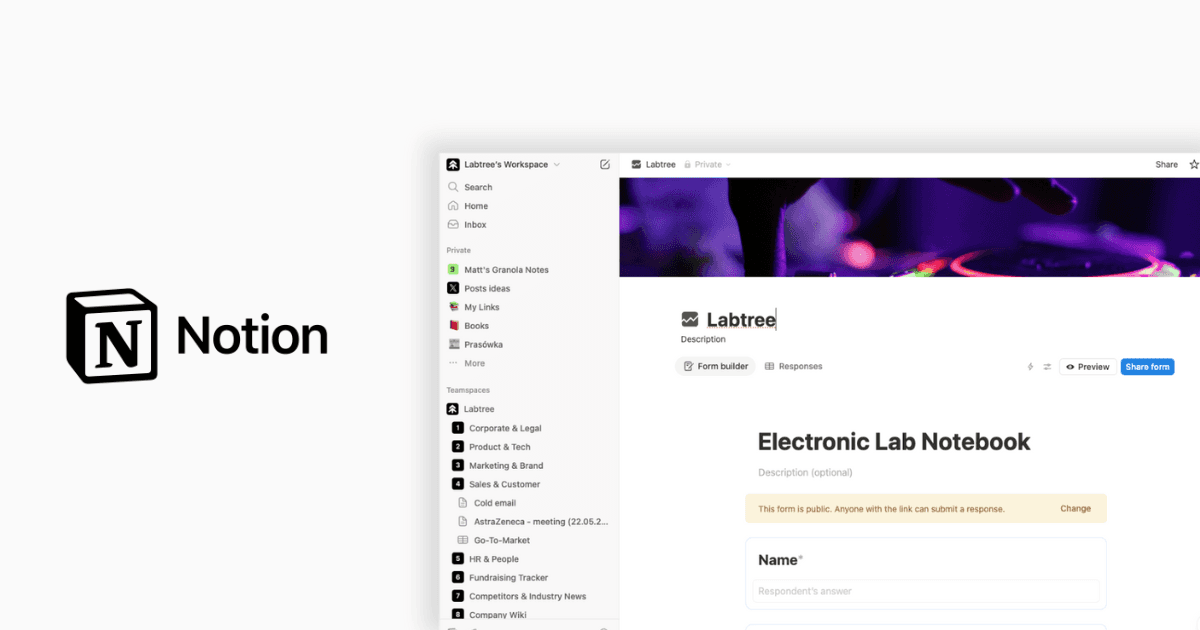
After testing numerous digital lab notebook options, we've found Notion to be an exceptionally versatile electronic laboratory notebook software. Notion stands out as one of the most modern knowledge management systems with a substantial user base. Additionally, it offers both free and premium options, allowing you to thoroughly test it before committing financially. What makes it particularly attractive for academics is that signing up with an academic email address unlocks most premium features at no cost. Furthermore, the Research Lab Notebook template in Notion includes a homepage with daily and weekly experiment trackers, alongside a comprehensive database for documenting experiments and taking detailed notes.
In this guide, we'll walk through everything you need to know about setting up and optimizing Notion as your lab's digital notebook. Whether you're a seasoned researcher or just starting your scientific journey, this tested approach will help you create an organized, accessible, and efficient system for your laboratory documentation.
What makes Notion a great digital lab notebook
Moving beyond traditional paper-based methods, Notion offers a refreshing approach to laboratory documentation with features specifically beneficial for scientific research. Let's explore why many researchers consider it an ideal electronic laboratory notebook solution.
Clean interface and ease of use
Notion's modern, minimalist design provides a clean workspace that makes organizing complex research data intuitive. Unlike rigid physical lab notebooks with their chronological structure, Notion offers a more logical organization that helps you interact with your data meaningfully. The platform's block-based architecture allows for flexible content creation—from simple text notes to complex data tables—without overwhelming technical complexity.
Many scientists report that Notion's customizable interface makes documenting experiments significantly easier than traditional methods. One researcher noted they had used Notion throughout their entire PhD for three years [2], demonstrating its effectiveness for long-term scientific documentation.
Cross-platform accessibility
One significant advantage of Notion as a digital lab notebook is its excellent cross-platform support. The platform synchronizes seamlessly across devices, allowing access to your lab notes from your phone, computer, or tablet. This accessibility ensures you can document observations, review protocols, or reference data wherever your research takes you—in the lab, at conferences, or during field work.
Free for students and academics
Notion offers substantial benefits for academic users through its Education Plus Plan. Students and educators at accredited colleges and universities with institutional email addresses receive a free Plus Plan. This academic plan includes unlimited pages, blocks, and file uploads—essential features for comprehensive lab documentation. Student-led research organizations can also qualify for free Plus plans that allow collaboration among all organization members.
Powerful database and markdown support
Arguably Notion's most valuable feature for scientific documentation is its robust database functionality. These customizable tables can store and organize experimental data, protocols, and literature references while supporting various data types including dates, numbers, links, and custom tags.
Moreover, Notion supports markdown syntax, enabling efficient formatting without lifting your hands from the keyboard. This combination of structured databases and flexible documentation makes Notion exceptionally well-suited for scientific record-keeping compared to traditional electronic laboratory notebook software.
How scientists are using Notion as an ELN
Scientists worldwide are transforming their research documentation by adapting Notion's flexible architecture into personalized electronic laboratory notebooks. Their innovative approaches show how this versatile platform can address complex research documentation needs.
Daily experiment tracking with templates
Researchers are creating customized templates that simplify documentation of daily lab activities. These templates automatically generate structured entries when scientists begin new experiments, ensuring consistent documentation across their work. Many scientists design templates with predefined sections for experimental aims, methods, results, and next actions. This systematic approach allows researchers to document everything from one-hour tasks to multi-day experiments while maintaining comprehensive records.
Project-based organization
The core of scientific Notion setups typically revolves around project-based structures. Scientists create dedicated project dashboards containing linked databases for experiments, manuscripts, key references, and research ideas. This centralized approach allows researchers to view all tasks related to a specific project in a single space, organized chronologically. Consequently, scientists can track progress across multiple research initiatives simultaneously without losing focus or context.
Tagging and filtering for quick access
Scientists effectively utilize Notion's tagging capabilities to categorize research entries based on their nature—such as code, problems, resolutions, ideas, or methods. Researchers apply meaningful tags like "PCR," "blast," or "pipelines" to entries, making them searchable and filterable. Indeed, many scientists create saved filters for frequently accessed information, which appear as tabs in database views. This organization method proves especially valuable when managing years of accumulated research data.
Collaborative sharing with lab members
Research teams utilize Notion's sharing features to create truly collaborative laboratory environments. Scientists share pages with colleagues, assign specific tasks, and use comments to discuss ideas without leaving the platform. Notably, students maintain systems similar to their supervisors but with shared access, allowing mentors to browse their work and provide feedback when needed. This transparency fosters better communication within research groups while maintaining appropriate oversight of ongoing experiments.
Setting up your Notion lab notebook from scratch
Building a custom electronic laboratory notebook in Notion begins with understanding its database structure. In fact, the flexibility of Notion's database system is what makes it exceptionally suitable for scientific documentation needs.
Creating your first ELN database
Initially, start by clicking the "New page" button and selecting "Table" under "Get started with" to create your first database. Every item in a Notion database functions as its own page where additional information can be organized. For your lab notebook, add essential properties like date, experiment name, status, and project association. These properties act as tags that describe each database entry, making your research easily searchable afterward.
Designing templates for experiments and protocols
Subsequently, create templates to standardize your documentation. Click the arrow icon next to your database name and select "Add a New Template". Design custom templates with predefined sections for experimental aims, methods, results, and next actions. This approach ensures consistency across all your research documentation, regardless of who performs the experiment.
Linking tasks, protocols, and literature
Above all, Notion's power lies in connecting different aspects of your research. Add a relation property in your database to link different elements together. For instance, connect your experiments database with protocols and literature databases. This creates a network where selecting a protocol shows all experiments that used it, establishing a comprehensive research documentation system.
Using views to manage ongoing and archived work
First thing to remember, different views help you visualize your work in various ways. Beyond the default table view, add board, calendar, or gallery views by clicking the "+" next to your database name. For effective organization, label your projects with status tags like "in progress," "paused," "completed," or "archived". Under those circumstances, you can filter your database to show only relevant experiments—for example, creating a view that displays only ongoing work by filtering for "Status: In Progress".
This structured approach transforms Notion from a simple note-taking app into a powerful digital lab notebook that rivals specialized electronic laboratory notebook software.
Tips for long-term use and data management
Long-term sustainability is a critical factor when selecting your electronic laboratory notebook. With proper maintenance and thoughtful organization, your Notion lab notebook can serve as a reliable research companion for years to come.
Exporting and backing up your data
Data permanence should be a primary concern with any digital lab notebook. Notion stores your data in the cloud with per-minute backups, yet maintaining your own copies is essential. Export your workspace regularly as HTML, Markdown, or CSV files. These formats ensure your data remains accessible even without Notion. For large workspaces experiencing export difficulties, consider exporting top-level pages individually with their subpages.
Labeling projects by status
Organize your research efficiently using Notion's status property. This feature categorizes your work into three main stages: To Do, In Progress, and Complete. Create custom sub-categories like "Blocked," "In Review," or "Ready to Publish" to reflect your specific research workflow. This standardized system prevents confusion when multiple researchers collaborate on projects.
Using saved filters for quick navigation
Streamline your workflow by creating dedicated database views for frequent queries. Set up filtered views showing only experiments that are currently active. Alternatively, create board views grouped by status to visualize research progress at a glance. These saved filters appear as tabs in your database, enabling rapid access to relevant information.
Avoiding common pitfalls in digital lab notebooks
Prevent data loss by establishing immutable notebook entries that cannot be altered after creation. Consider implementing procedures for linking raw data, analyzed results, and publication materials. Throughout, ensure your notebook maintains academic and legal integrity through proper versioning policies. Finally, establish clear protocols for team members regarding abbreviations, factual note-taking, and access controls.
Conclusion
Notion offers a remarkably versatile solution for researchers seeking a modern electronic laboratory notebook. Throughout this guide, we've seen how its clean interface, cross-platform accessibility, and powerful database capabilities make it particularly well-suited for scientific documentation. Additionally, the free academic access removes financial barriers for students and educators.
Scientists worldwide have already demonstrated Notion's effectiveness through their custom setups for experiment tracking, project organization, and collaborative research. Therefore, you can confidently adapt these tested approaches to your specific research needs. The tagging and filtering systems especially shine when managing years of accumulated research data, allowing quick retrieval of critical information regardless of when it was documented.
Setting up your own Notion lab notebook might initially seem daunting, but following our structured approach makes the process straightforward. After creating your first database, designing templates, and establishing connections between your experiments, protocols, and literature, you'll have a comprehensive system that rivals specialized ELN software.
Long-term sustainability remains a crucial consideration for any digital documentation system. Consequently, we recommend regular data exports, thoughtful project labeling, and strategic use of saved filters to maintain an organized research repository. These practices help avoid common pitfalls while ensuring your valuable research data remains accessible and meaningful for years to come.
Notion stands out as a powerful alternative to traditional paper notebooks and specialized ELN software alike. Whether you're conducting bench research, fieldwork, or computational studies, this flexible platform can adapt to your documentation needs while growing alongside your scientific career. We encourage you to test Notion's capabilities for yourself – your future self will thank you for the well-organized research archive you create today.
References
[1] - https://www.notion.com/help/back-up-your-data
[2] - https://www.notion.com/templates/the-electronic-lab-notebook?srsltid=AfmBOopEGFkpx4OTrrPCNkGVEW91iMJJ-kjWqQhVrYb-Q69ZFc6nvihp
[3] - https://shesciences.com/how-to-use-notion-as-a-research-lab-notebook/
[4] - https://www.notion.com/product/notion-for-education
[5] - https://www.notion.com/help/notion-for-education
[6] - https://www.astrobetter.com/blog/2024/02/19/tools-for-scientist-workflows-part-5-notion-project-management/
[7] - https://paperpile.com/blog/notion-research-groups/
[8] - https://shesciences.com/how-to-use-notion-to-organize-your-research-classes-and-grad-school-life/
[9] - https://evophylo.blog/2024/12/04/electronic-lab-notebooks-in-2024/
[10] - https://www.templates4notion.com/post/notion-for-Scientist
[11] - https://www.notion.com/help/guides/creating-a-database
[12] - https://theorganizednotebook.com/blogs/blog/notion-digital-notebook?srsltid=AfmBOopmyga7TdCa_5OH_W6pV5G5j-WQ8tFhI5rypHl1RBDhjw2KmSEC
[13] - https://www.notion.com/help/guides/a-guide-to-connecting-projects-and-meeting-notes
[14] - https://www.notion.com/templates/the-electronic-lab-notebook?srsltid=AfmBOorA1RENn_Bcg5BijejFhbGpM21U2Dl1OLI3SyzHKieTcRoo2GJn
[15] - https://www.notion.com/help/create-a-database
[16] - https://www.notion.com/help/guides/status-property-gives-clarity-on-tasks
[17] - https://www.notion.com/help/export-your-content
[18] - https://www.nature.com/articles/s41596-021-00645-8
[19] - https://medhealthoutlook.com/electronic-lab-notebook-best-practices/
References
[1] - https://www.notion.com/help/back-up-your-data
[2] - https://www.notion.com/templates/the-electronic-lab-notebook?srsltid=AfmBOopEGFkpx4OTrrPCNkGVEW91iMJJ-kjWqQhVrYb-Q69ZFc6nvihp
[3] - https://shesciences.com/how-to-use-notion-as-a-research-lab-notebook/
[4] - https://www.notion.com/product/notion-for-education
[5] - https://www.notion.com/help/notion-for-education
[6] - https://www.astrobetter.com/blog/2024/02/19/tools-for-scientist-workflows-part-5-notion-project-management/
[7] - https://paperpile.com/blog/notion-research-groups/
[8] - https://shesciences.com/how-to-use-notion-to-organize-your-research-classes-and-grad-school-life/
[9] - https://evophylo.blog/2024/12/04/electronic-lab-notebooks-in-2024/
[10] - https://www.templates4notion.com/post/notion-for-Scientist
[11] - https://www.notion.com/help/guides/creating-a-database
[12] - https://theorganizednotebook.com/blogs/blog/notion-digital-notebook?srsltid=AfmBOopmyga7TdCa_5OH_W6pV5G5j-WQ8tFhI5rypHl1RBDhjw2KmSEC
[13] - https://www.notion.com/help/guides/a-guide-to-connecting-projects-and-meeting-notes
[14] - https://www.notion.com/templates/the-electronic-lab-notebook?srsltid=AfmBOorA1RENn_Bcg5BijejFhbGpM21U2Dl1OLI3SyzHKieTcRoo2GJn
[15] - https://www.notion.com/help/create-a-database
[16] - https://www.notion.com/help/guides/status-property-gives-clarity-on-tasks
[17] - https://www.notion.com/help/export-your-content
[18] - https://www.nature.com/articles/s41596-021-00645-8
[19] - https://medhealthoutlook.com/electronic-lab-notebook-best-practices/
Never miss an update
Get all the news and updates about Labtree, directly to your inbox.
Never miss an update
Get all the news and updates about Labtree, directly to your inbox.
SHARE THIS POST
SHARE THIS POST
Never miss an update
Get all the news and updates about Labtree, directly to your inbox.
Your Complete Guide to Using Notion as an Electronic Laboratory Notebook [Tested by Scientists]
Matt Ciarkowski
Co-founder
August 13, 2025
8 minutes
Electronic laboratory notebooks have transformed how we document research, replacing traditional paper notebooks with powerful digital solutions. An ELN replicates the familiar interface of a paper lab notebook while offering significant advantages, including better data management, enhanced security, and improved collaboration capabilities.
After testing numerous digital lab notebook options, we've found Notion to be an exceptionally versatile electronic laboratory notebook software. Notion stands out as one of the most modern knowledge management systems with a substantial user base. Additionally, it offers both free and premium options, allowing you to thoroughly test it before committing financially. What makes it particularly attractive for academics is that signing up with an academic email address unlocks most premium features at no cost. Furthermore, the Research Lab Notebook template in Notion includes a homepage with daily and weekly experiment trackers, alongside a comprehensive database for documenting experiments and taking detailed notes.
In this guide, we'll walk through everything you need to know about setting up and optimizing Notion as your lab's digital notebook. Whether you're a seasoned researcher or just starting your scientific journey, this tested approach will help you create an organized, accessible, and efficient system for your laboratory documentation.
What makes Notion a great digital lab notebook
Moving beyond traditional paper-based methods, Notion offers a refreshing approach to laboratory documentation with features specifically beneficial for scientific research. Let's explore why many researchers consider it an ideal electronic laboratory notebook solution.
Clean interface and ease of use
Notion's modern, minimalist design provides a clean workspace that makes organizing complex research data intuitive. Unlike rigid physical lab notebooks with their chronological structure, Notion offers a more logical organization that helps you interact with your data meaningfully. The platform's block-based architecture allows for flexible content creation—from simple text notes to complex data tables—without overwhelming technical complexity.
Many scientists report that Notion's customizable interface makes documenting experiments significantly easier than traditional methods. One researcher noted they had used Notion throughout their entire PhD for three years [2], demonstrating its effectiveness for long-term scientific documentation.
Cross-platform accessibility
One significant advantage of Notion as a digital lab notebook is its excellent cross-platform support. The platform synchronizes seamlessly across devices, allowing access to your lab notes from your phone, computer, or tablet. This accessibility ensures you can document observations, review protocols, or reference data wherever your research takes you—in the lab, at conferences, or during field work.
Free for students and academics
Notion offers substantial benefits for academic users through its Education Plus Plan. Students and educators at accredited colleges and universities with institutional email addresses receive a free Plus Plan. This academic plan includes unlimited pages, blocks, and file uploads—essential features for comprehensive lab documentation. Student-led research organizations can also qualify for free Plus plans that allow collaboration among all organization members.
Powerful database and markdown support
Arguably Notion's most valuable feature for scientific documentation is its robust database functionality. These customizable tables can store and organize experimental data, protocols, and literature references while supporting various data types including dates, numbers, links, and custom tags.
Moreover, Notion supports markdown syntax, enabling efficient formatting without lifting your hands from the keyboard. This combination of structured databases and flexible documentation makes Notion exceptionally well-suited for scientific record-keeping compared to traditional electronic laboratory notebook software.
How scientists are using Notion as an ELN
Scientists worldwide are transforming their research documentation by adapting Notion's flexible architecture into personalized electronic laboratory notebooks. Their innovative approaches show how this versatile platform can address complex research documentation needs.
Daily experiment tracking with templates
Researchers are creating customized templates that simplify documentation of daily lab activities. These templates automatically generate structured entries when scientists begin new experiments, ensuring consistent documentation across their work. Many scientists design templates with predefined sections for experimental aims, methods, results, and next actions. This systematic approach allows researchers to document everything from one-hour tasks to multi-day experiments while maintaining comprehensive records.
Project-based organization
The core of scientific Notion setups typically revolves around project-based structures. Scientists create dedicated project dashboards containing linked databases for experiments, manuscripts, key references, and research ideas. This centralized approach allows researchers to view all tasks related to a specific project in a single space, organized chronologically. Consequently, scientists can track progress across multiple research initiatives simultaneously without losing focus or context.
Tagging and filtering for quick access
Scientists effectively utilize Notion's tagging capabilities to categorize research entries based on their nature—such as code, problems, resolutions, ideas, or methods. Researchers apply meaningful tags like "PCR," "blast," or "pipelines" to entries, making them searchable and filterable. Indeed, many scientists create saved filters for frequently accessed information, which appear as tabs in database views. This organization method proves especially valuable when managing years of accumulated research data.
Collaborative sharing with lab members
Research teams utilize Notion's sharing features to create truly collaborative laboratory environments. Scientists share pages with colleagues, assign specific tasks, and use comments to discuss ideas without leaving the platform. Notably, students maintain systems similar to their supervisors but with shared access, allowing mentors to browse their work and provide feedback when needed. This transparency fosters better communication within research groups while maintaining appropriate oversight of ongoing experiments.
Setting up your Notion lab notebook from scratch
Building a custom electronic laboratory notebook in Notion begins with understanding its database structure. In fact, the flexibility of Notion's database system is what makes it exceptionally suitable for scientific documentation needs.
Creating your first ELN database
Initially, start by clicking the "New page" button and selecting "Table" under "Get started with" to create your first database. Every item in a Notion database functions as its own page where additional information can be organized. For your lab notebook, add essential properties like date, experiment name, status, and project association. These properties act as tags that describe each database entry, making your research easily searchable afterward.
Designing templates for experiments and protocols
Subsequently, create templates to standardize your documentation. Click the arrow icon next to your database name and select "Add a New Template". Design custom templates with predefined sections for experimental aims, methods, results, and next actions. This approach ensures consistency across all your research documentation, regardless of who performs the experiment.
Linking tasks, protocols, and literature
Above all, Notion's power lies in connecting different aspects of your research. Add a relation property in your database to link different elements together. For instance, connect your experiments database with protocols and literature databases. This creates a network where selecting a protocol shows all experiments that used it, establishing a comprehensive research documentation system.
Using views to manage ongoing and archived work
First thing to remember, different views help you visualize your work in various ways. Beyond the default table view, add board, calendar, or gallery views by clicking the "+" next to your database name. For effective organization, label your projects with status tags like "in progress," "paused," "completed," or "archived". Under those circumstances, you can filter your database to show only relevant experiments—for example, creating a view that displays only ongoing work by filtering for "Status: In Progress".
This structured approach transforms Notion from a simple note-taking app into a powerful digital lab notebook that rivals specialized electronic laboratory notebook software.
Tips for long-term use and data management
Long-term sustainability is a critical factor when selecting your electronic laboratory notebook. With proper maintenance and thoughtful organization, your Notion lab notebook can serve as a reliable research companion for years to come.
Exporting and backing up your data
Data permanence should be a primary concern with any digital lab notebook. Notion stores your data in the cloud with per-minute backups, yet maintaining your own copies is essential. Export your workspace regularly as HTML, Markdown, or CSV files. These formats ensure your data remains accessible even without Notion. For large workspaces experiencing export difficulties, consider exporting top-level pages individually with their subpages.
Labeling projects by status
Organize your research efficiently using Notion's status property. This feature categorizes your work into three main stages: To Do, In Progress, and Complete. Create custom sub-categories like "Blocked," "In Review," or "Ready to Publish" to reflect your specific research workflow. This standardized system prevents confusion when multiple researchers collaborate on projects.
Using saved filters for quick navigation
Streamline your workflow by creating dedicated database views for frequent queries. Set up filtered views showing only experiments that are currently active. Alternatively, create board views grouped by status to visualize research progress at a glance. These saved filters appear as tabs in your database, enabling rapid access to relevant information.
Avoiding common pitfalls in digital lab notebooks
Prevent data loss by establishing immutable notebook entries that cannot be altered after creation. Consider implementing procedures for linking raw data, analyzed results, and publication materials. Throughout, ensure your notebook maintains academic and legal integrity through proper versioning policies. Finally, establish clear protocols for team members regarding abbreviations, factual note-taking, and access controls.
Conclusion
Notion offers a remarkably versatile solution for researchers seeking a modern electronic laboratory notebook. Throughout this guide, we've seen how its clean interface, cross-platform accessibility, and powerful database capabilities make it particularly well-suited for scientific documentation. Additionally, the free academic access removes financial barriers for students and educators.
Scientists worldwide have already demonstrated Notion's effectiveness through their custom setups for experiment tracking, project organization, and collaborative research. Therefore, you can confidently adapt these tested approaches to your specific research needs. The tagging and filtering systems especially shine when managing years of accumulated research data, allowing quick retrieval of critical information regardless of when it was documented.
Setting up your own Notion lab notebook might initially seem daunting, but following our structured approach makes the process straightforward. After creating your first database, designing templates, and establishing connections between your experiments, protocols, and literature, you'll have a comprehensive system that rivals specialized ELN software.
Long-term sustainability remains a crucial consideration for any digital documentation system. Consequently, we recommend regular data exports, thoughtful project labeling, and strategic use of saved filters to maintain an organized research repository. These practices help avoid common pitfalls while ensuring your valuable research data remains accessible and meaningful for years to come.
Notion stands out as a powerful alternative to traditional paper notebooks and specialized ELN software alike. Whether you're conducting bench research, fieldwork, or computational studies, this flexible platform can adapt to your documentation needs while growing alongside your scientific career. We encourage you to test Notion's capabilities for yourself – your future self will thank you for the well-organized research archive you create today.
References
[1] - https://www.notion.com/help/back-up-your-data
[2] - https://www.notion.com/templates/the-electronic-lab-notebook?srsltid=AfmBOopEGFkpx4OTrrPCNkGVEW91iMJJ-kjWqQhVrYb-Q69ZFc6nvihp
[3] - https://shesciences.com/how-to-use-notion-as-a-research-lab-notebook/
[4] - https://www.notion.com/product/notion-for-education
[5] - https://www.notion.com/help/notion-for-education
[6] - https://www.astrobetter.com/blog/2024/02/19/tools-for-scientist-workflows-part-5-notion-project-management/
[7] - https://paperpile.com/blog/notion-research-groups/
[8] - https://shesciences.com/how-to-use-notion-to-organize-your-research-classes-and-grad-school-life/
[9] - https://evophylo.blog/2024/12/04/electronic-lab-notebooks-in-2024/
[10] - https://www.templates4notion.com/post/notion-for-Scientist
[11] - https://www.notion.com/help/guides/creating-a-database
[12] - https://theorganizednotebook.com/blogs/blog/notion-digital-notebook?srsltid=AfmBOopmyga7TdCa_5OH_W6pV5G5j-WQ8tFhI5rypHl1RBDhjw2KmSEC
[13] - https://www.notion.com/help/guides/a-guide-to-connecting-projects-and-meeting-notes
[14] - https://www.notion.com/templates/the-electronic-lab-notebook?srsltid=AfmBOorA1RENn_Bcg5BijejFhbGpM21U2Dl1OLI3SyzHKieTcRoo2GJn
[15] - https://www.notion.com/help/create-a-database
[16] - https://www.notion.com/help/guides/status-property-gives-clarity-on-tasks
[17] - https://www.notion.com/help/export-your-content
[18] - https://www.nature.com/articles/s41596-021-00645-8
[19] - https://medhealthoutlook.com/electronic-lab-notebook-best-practices/
Never miss an update
Get all the news and updates about Labtree, directly to your inbox.
SHARE THIS POST
SHARE THIS POST
Never miss an update
Get all the news and updates about Labtree, directly to your inbox.